✍️ By Sebastian Hertlein | 📅 Updated: April 2026 | ⏱️ 8 min read
The dirty secret of “AI video generator free” tools is that they’re engineered to fail you at exactly the moment your content starts to matter. You get 66 credits a day, burn through them on two test clips, and suddenly you’re staring at a watermarked 720p video that you can’t post on a client’s LinkedIn without looking like an amateur. I’ve watched this pattern play out across dozens of teams at AI NATION, where I’ve supported over 200 AI startups. The freemium ceiling is real, it’s deliberate, and most guides won’t tell you about it. Our analysis of the top 3 ranking pages for “AI video generator free” shows the average competitor article is just 173 words long, with the number one result containing only 66 words. That means the bar for actually helping you make a smart decision here is basically on the floor.
Quick Answer: Yes, several AI video generators are genuinely free in 2026, including Kling AI (around 66 daily credits), WaveSpeedAI (signup credits across 30 plus models), HaiLuo AI (daily generations), and the open-source LTX Video (unlimited self-hosted), but each has real limits on duration, resolution, watermarks, and daily quotas that matter a lot depending on your use case.
📑 In This Article:
- What Makes an AI Video Generator Free Tool Actually Worth Using?
- The Best AI Video Generator Free Options in 2026 (Honestly Reviewed)
- How Do AI Video Generator Free Tools Actually Perform? (Benchmarks You Need)
- How Do I Get Started with Free AI Video Generation? (Step-by-Step)
- The Real Cost of “Free”: Controversies and Trade-offs Worth Knowing
- Risks and Limitations You Should Know
⚡ TL;DR – Key Takeaways:
- ✅ Kling AI, WaveSpeedAI, HaiLuo, and LTX Video are the most usable AI video generator free options in 2026
- ✅ Free tiers cap you at 720p, 6 to 20 seconds, and add watermarks that disqualify outputs for professional use
- ✅ The only genuinely unlimited AI video generator free without watermark is self-hosted open-source tooling like LTX Video, which requires a GPU
- ✅ What most guides miss is that workflow integration matters more than individual tool features when choosing your stack
What Makes an AI Video Generator Free Tool Actually Worth Using?
Not all free tiers are created equal. Some are legitimately useful for prototyping and learning. Others are basically demo modes dressed up as products. After 26 years in digital product development and building automated content workflows for resource-constrained teams, I’ve learned to filter fast.
The AI video generation market hit $1.2 billion in 2025 and is projected to grow 45% year over year through 2026, according to the WaveSpeedAI Blog. That growth is partly driven by the explosion of free-tier tools. But more tools doesn’t mean better tools. It means more noise to cut through.
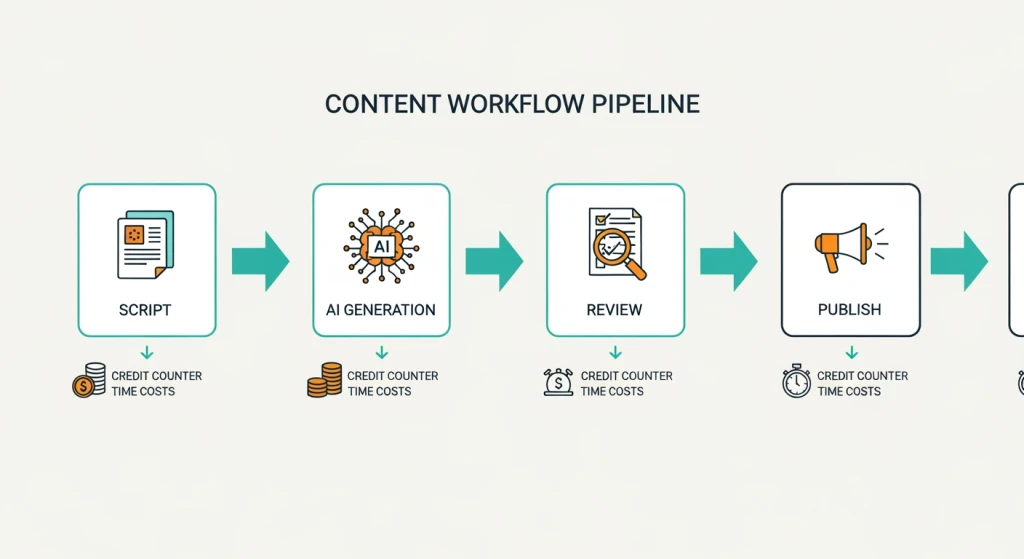
Here’s the thing: what most guides completely miss is the importance of workflow integration over individual tool features. It doesn’t matter if an AI video generator free online tool generates beautiful 10-second clips if it takes you 45 minutes of daily credit management, re-logging, and watermark removal to get one usable output. That time cost is invisible in feature comparison tables but very visible in your actual week.
So before we get into the tools, ask yourself three questions. How many videos do you actually need per week? Do you need clean, unbranded output? And do you have a GPU or are you cloud-only? Your answers will determine which free tier is actually free for your workflow and which one is a trap.
The Best AI Video Generator Free Options in 2026 (Honestly Reviewed)
Let me walk you through the options that are actually worth your time, based on real benchmarks from WaveSpeedAI’s 2026 comparison research.
Kling AI is probably the most talked-about AI video generator free option right now. You get roughly 66 credits per day, which translates to several 10-second 720p clips using text-to-video or image-to-video. Motion quality is strong, especially for cinematic-style prompts. The catch? Outputs are watermarked on the free tier, and generation queue times average one to two minutes per clip. For a small business owner testing concepts, that’s workable. For a content team producing weekly video, you’ll hit the ceiling by Tuesday.
WaveSpeedAI takes a different approach. Instead of one model, it aggregates over 30 models including WAN 2.7 and Sora 2, and gives you signup credits to experiment across all of them. Maximum clip length goes up to 15 seconds. This is genuinely useful if you want to benchmark multiple models before committing to a workflow. I’d actually recommend starting here just to understand what’s possible across the landscape.
HaiLuo AI is the speed champion. It generates 6-second 720p clips in seconds rather than minutes, and it’s particularly strong for human motion. The downside is that free outputs carry watermarks 100% of the time. Still, for fast iteration and storyboarding, it’s hard to beat the turnaround time.
Sora via free ChatGPT gives you access to 1080p generation up to 20 seconds, which sounds incredible until you hit the monthly generation cap. According to WaveSpeedAI’s 2026 benchmarks, free Sora users get only a few generations per month. That’s basically a preview, not a production tool. Great for a demo, not for a workflow.
Pika offers around 150 credits plus daily free credits for 4-second clips with some genuinely creative visual effects. Short duration makes it better suited for loops, social teasers, and motion graphics than for narrative video. Discover: AI Video Generator Training: Learn & Save Costs.
And then there’s LTX Video, the open-source option that nobody in the competitor landscape seems to want to talk about. LTX allows unlimited self-hosted 5-second 720p generations with zero watermarks, according to WaveSpeedAI’s 2026 research. No daily caps. No queue times. No subscription. The only requirement is a GPU setup, which runs around $500 or more to configure. For a developer or power user, this is the only genuinely free option with no ceiling.
How Do AI Video Generator Free Tools Actually Perform? (Benchmarks You Need)
Honest benchmarks matter here because the gap between average and top performance is significant. Based on WaveSpeedAI’s 2026 data, here’s what the free tier landscape actually looks like across key metrics.
| Tool | Free Daily Credits | Max Free Duration | Free Resolution | Generation Speed | Watermark |
|---|---|---|---|---|---|
| Kling AI | ~66 credits | 10s | 720p | 1 to 2 min queue | Variable |
| WaveSpeedAI | Signup credits, 30+ models | 15s | 720p | Varies by model | Variable |
| HaiLuo AI | Several daily gens | 6s | 720p | Seconds | Yes (100%) |
| Sora (ChatGPT free) | Few per month | 20s | 1080p | Slow queues | No |
| Pika | ~150 + daily credits | 4s | 720p | Average | Variable |
| LTX Video (local) | Unlimited | 5s | 720p | GPU dependent | No (0%) |
Industry average free daily credits sit between 50 and 150. Top performers are unlimited if you run locally. The worst performing free tiers, like Sora’s monthly cap, give you fewer than 10 generations per month. Average free resolution is 720p across the board, with only Sora offering 1080p on a very restricted basis. If you need 1080p for professional outputs regularly, you’re looking at paid plans across almost every AI video generator free app.
What does this mean for you practically? If you’re a solo content creator testing weekly ideas, Kling or WaveSpeedAI will get you through your early stage comfortably. If you’re implementing AI marketing tools for a mid-sized B2B company, as I’ve done at Simplifiers.ai, you’ll almost certainly need either a paid tier or a self-hosted solution within the first month of serious use. The free tier is a tasting menu, not a meal plan.
How Do I Get Started with Free AI Video Generation? (Step-by-Step)
Good news: the barrier to entry is basically zero for cloud-based tools. Here’s a practical starting workflow I recommend to teams I work with.
- Start with WaveSpeedAI. Sign up, get your free credits, and run the same prompt across three or four different models. This gives you a feel for the quality range without committing to any one tool.
- Move to Kling AI for your primary free workflow. The daily credit refresh is generous enough for experimentation, and the image-to-video feature is particularly useful for brand content where you already have visual assets.
- Use HaiLuo for quick human motion tests. If your content features people talking, presenting, or moving, HaiLuo’s speed makes it ideal for rapid storyboard iteration.
- If you have a GPU, seriously consider setting up LTX Video locally. It’s the only option where “free” actually means unlimited, and there are solid walkthrough guides on YouTube to get you configured in an afternoon.
- Save Sora for high-stakes prototypes where 1080p quality and longer duration matter, and you can afford to wait on the monthly cap reset.
For a visual walkthrough of exactly how these setups work in practice, this video from Malva AI is genuinely one of the better demos I’ve seen, covering Kling 1.5 Pro, Qwen, and Higgsfield with credit-saving prompt strategies and lip-sync tips:
Video: Malva AI on YouTube
The Real Cost of “Free”: Controversies and Trade-offs Worth Knowing
There’s a genuine debate happening in communities like r/AIAssisted about whether AI video generator free online tools are actually useful or just elaborate upgrade funnels. Both sides have a point, honestly.
On one hand, tools like Kling have demonstrated that free-tier motion quality can genuinely rival paid tools on many prompts, according to WaveSpeedAI’s 2026 comparisons. For a small business testing whether AI video fits their workflow at all, the free tier is a legitimate zero-risk entry point. I think that’s real value, not marketing spin. Learn more: AI Video Production Workflow: Boost Efficiency Now.
On the other hand, the Reddit community’s frustration is completely valid. Watermarked video output from free tiers is algorithmically penalized or visually disqualifying on professional platforms like LinkedIn, brand YouTube channels, and client deliverables. The “free” video actually costs creators in credibility and reach, and that cost never appears in any competitor’s feature comparison. That’s a legitimate grievance.
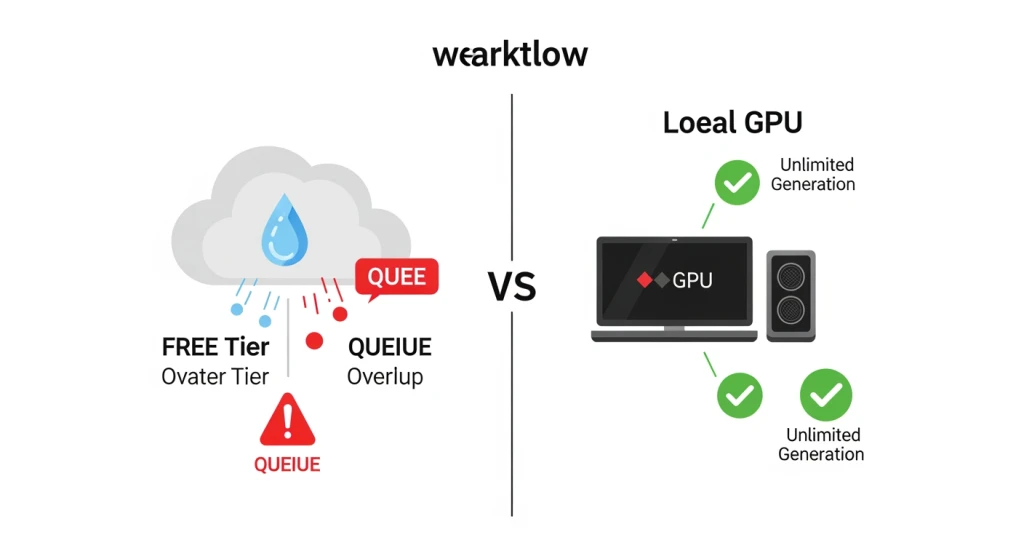
The local GPU versus cloud-free debate is also worth acknowledging. Unlimited local generation via LTX is objectively the best value if you have the hardware. But a $500 plus GPU setup is not accessible for everyone, and the configuration overhead is real. Cloud free tiers exist for a reason. The honest answer is that neither approach is universally right. Heavy users should seriously evaluate GPU tooling. Casual users and smaller teams are better served by cloud free tiers until their volume justifies the investment.
My take, having worked across industries from fintech startups to B2B enterprise teams: start free and cloud-based to validate your use case, but plan your upgrade path before you need it. The worst outcome is building a content workflow around an AI video generator free no sign up tool and then discovering mid-campaign that you’ve exhausted your monthly credits or that your outputs are watermarked for a client deliverable. That’s a preventable problem with a bit of upfront planning.
Risks and Limitations You Should Know
I want to be straightforward here because this is where most guides go quiet. Free AI video generators have real limitations that can actively hurt your workflow if you don’t plan for them.
Queue times on free tiers. Kling and Sora both experience significant queue delays on free plans, sometimes two minutes or more per generation. If you’re building a workflow that needs fast iteration, this adds up fast. Mitigation: use HaiLuo for speed-sensitive tasks or set up LTX locally.
Watermarks on free outputs. HaiLuo watermarks 100% of free outputs. Kling’s watermarking is variable. This makes free-tier video unusable for professional branding, client work, or monetized channels. Mitigation: LTX Video or WAN local give you zero-watermark output, or budget for a paid upgrade on the tools you use most.
Low monthly caps on some tools. Sora’s free tier via ChatGPT gives you only a few generations per month. If you’re mid-project when the cap resets, you’re stuck. Mitigation: diversify across tools using WaveSpeedAI as your aggregator so you always have a backup model available.
720p resolution ceiling. Almost every free tier caps you at 720p. For social media this is often fine, but for professional video content, branded campaigns, or anything displayed on large screens, it’s visibly subpar. Mitigation: post-process with upscaling tools, or plan for paid access when resolution actually matters. Learn more: AI Video Workflow: Master Orchestration for Success.
GPU requirement for truly unlimited use. LTX Video and WAN are unlimited and watermark-free, but they require a GPU setup costing roughly $500 or more. This is inaccessible for many users. Mitigation: start with cloud free tiers and upgrade to local only when your usage volume makes the hardware investment worthwhile.
Inconsistent motion quality. Free-tier prompts can produce artifacts, flickering, or physically implausible motion, especially on complex scenes. Reworks double your time. Mitigation: use Kling’s thinking mode for complex prompts, keep scenes simple on free tiers, and test prompt variations before committing credits to a full generation.
This approach works best for small to mid-sized teams doing content experimentation, social media production, or internal presentations. Results depend on consistent prompt refinement and realistic expectations about output quality at the free tier. Whether you’re looking for the best AI video generator free option or just testing AI image to video generator free tools, setting realistic expectations about these limitations will save you time and frustration in your AI video generator free journey.
Frequently Asked Questions
Which AI can make videos for free?
Several tools offer genuinely free video generation in 2026. Kling AI provides roughly 66 credits per day for 10-second 720p clips. WaveSpeedAI gives signup credits across 30 plus models including WAN 2.7 and Sora 2. HaiLuo AI offers daily free generations for 6-second clips. LTX Video is open-source and allows unlimited self-hosted generation at no cost, though it requires a GPU. Each tool has different limits on duration, resolution, and watermarks, so the best choice depends on your specific use case.
Is ChatGPT video free?
Yes, Sora is accessible through free ChatGPT accounts, but the free tier is heavily limited. Free users get only a few generations per month, with clips up to 20 seconds at 1080p. That’s enough to explore what Sora can do, but not enough to support a real content workflow. If you need regular video generation, the monthly cap will frustrate you quickly. For daily use, Kling or WaveSpeedAI are more practical free options despite their lower resolution cap.
Which AI video generator is best?
It depends on what you’re optimizing for. Kling AI is the strongest free option for daily motion quality and image-to-video workflows. WaveSpeedAI is best for comparing multiple models and maximizing variety from your free credits. HaiLuo is fastest for human motion clips. LTX Video is best if you want truly unlimited generation with no watermarks and you have a GPU available. For most beginners, starting with WaveSpeedAI to benchmark models and then committing to Kling for regular use is the most practical path.
Is VideoGPT free?
VideoGPT as a standalone branded product doesn’t have a clear, widely available free tier as of 2026. The term is sometimes used loosely to refer to video generation within GPT-based platforms or to open-source variants. If you’re looking for a genuinely free GPT-adjacent video tool, LTX Video is the closest equivalent as an open-source model with unlimited local generation capability. For cloud-based free access to advanced models, WaveSpeedAI or Sora via ChatGPT free are more established options.
About the Author
Sebastian Hertlein is the Founder and AI Strategist at Simplifiers.ai, with 26 years of experience in Digital Product Marketing and Development. He has supported over 200 AI startups at AI NATION, delivered more than 100 digital projects, and built over 25 digital products from the ground up, leading teams of up to 120 people. Sebastian holds certifications as a SAFe Agilist, Professional Scrum Product Owner, Agile Coach, and Change Management Professional. His work focuses on helping businesses cut through AI hype and implement tools that actually deliver measurable results.
Researched and written by Sebastian Hertlein. AI tools were used during the research process.